 Taking a break from the game, this blog is currently on hiatus. 💤
Pirate's Chest Skin
This skin was last updated to v2.02. Unfortunately, it doesn't seem to be optimized for v8.5 clients, as there are 2 missing images - button to maximize a skill, and character data background for weapon costumes - resulting in blue blank squares. I have made quick modifications on 2 files - button.bmp and gauge.bmp - to add in the missing images and changed the EXP bars. Links to the patch are also included in the instructions below.
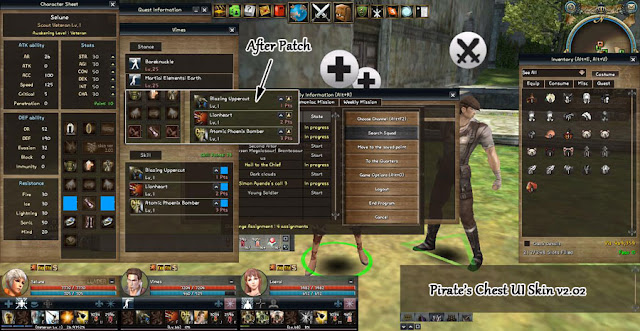
Setup Instructions (v8.5)

Thanks to Lusse of Orpesia for the reference.

Copyright 2010 Park, Jeong-Min all rights reserved.
Setup Instructions (v8.5)
- Go to Pirate's Chest v2.02 web site.
- Click on the link on the top-right corner of the post.
- Click on the link that says "PC" to download pirates_chest_2.02.exe file.
- Run pirates_chest_2.02.exe file after download has been completed.
- Select the skin sub-folder (e.g. C:\Program Files\Granado Espada\release\user\skin).
- Press "E" button to extract the skin files.
- Download piratechest85patch.zip from - Box.com, File Dropper, or Media Fire.
- Unzip piratechest85patch.zip into the same folder as (5) above. Confirm to replace files, when prompted.
- Restart the game client.
Thanks to Lusse of Orpesia for the reference.
Comments
Post a Comment
Comments are currently disabled.